Tides
Bristol Maps provides tide predictions from over 5,200 NOAA tide stations across Alaska, with interactive charts and offline caching for use on the water.
Accessing Tides
There are several ways to view tide data:
- From the map – Double tap a location on the navigation page and select Tides. A list of nearby stations sorted by distance will appear.
- From the settings menu – Open the navigation settings and select View tide stations
- From the tide overlay – Tap the tide chart icon on the navigation bar
Tide Station List
When you access tides from the map, nearby stations are displayed sorted by distance from the selected location. Select a station to view its tide chart.
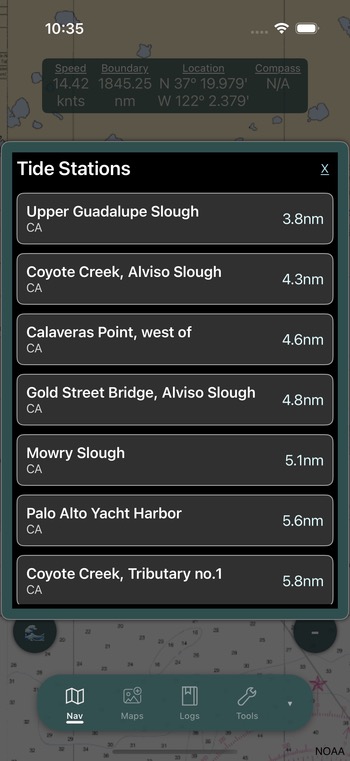
Tip
You can browse the full list of available tide stations through the navigation settings menu.
Tide Chart
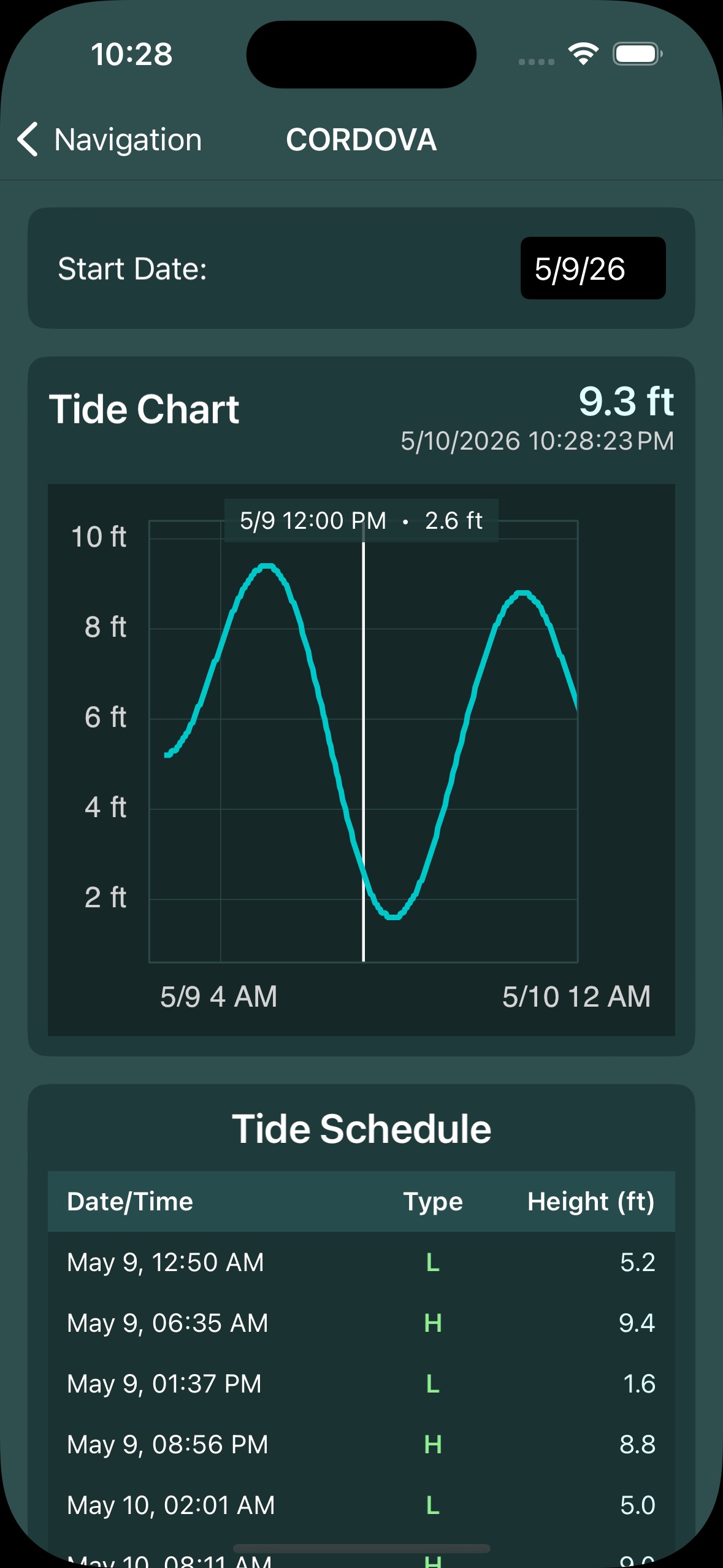
The tide chart displays a visual graph of tide heights over time:
- Date picker – Navigate between days to view tide predictions
- Current time indicator – A vertical line shows the current time on the chart
- Tide heights – Predicted water levels throughout the day
- Pinch to zoom – Zoom in on the chart for more detail
- Pan – Scroll the chart horizontally to view different time ranges
Offline Tide Data
First Visit Requires Internet
The first time you view a tide station, an internet connection is required to download the data. Once downloaded, one full year of tide data is stored on your device for offline access.
This means you can check tides for previously viewed stations even when you have no cell signal or internet connection – critical for remote Alaska fishing locations.
Clearing Tide Data
If you need to free up storage or refresh tide data, you can clear the cached tide data from Settings. This will require re-downloading data the next time you view a station.
Tide Overlay
A tide chart overlay can be displayed directly on the navigation page, so you can monitor tides while navigating.
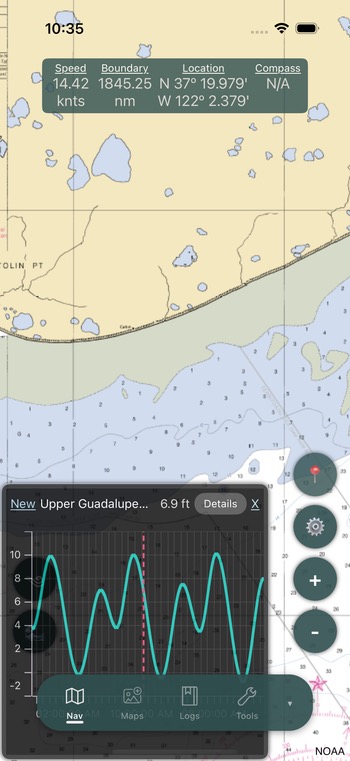
To enable the tide overlay:
- Tap the tide chart icon on the left side of the navigation page
- Select a tide station from the list
- The tide chart will appear as an overlay at the bottom of the map
To change the station or disable the overlay, tap the chart or the tide icon again.