Waypoints
Waypoints are saved location markers on the map. Use them to mark fishing spots, rocks, anchorages, tender locations, or any other point of interest.
Creating Waypoints
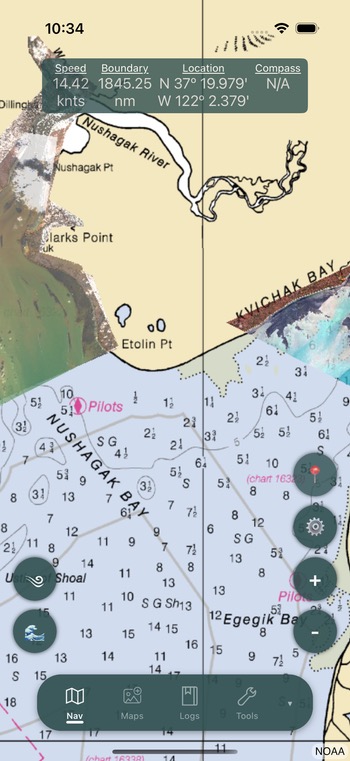
From the Map
- Double tap on any location on the navigation page
- Select Create Waypoint from the context menu
- Enter a name for the waypoint
- The waypoint is saved and immediately displayed on the map
From the Waypoint List
- Open the navigation settings menu
- Select Waypoints
- Tap the add button to create a new waypoint manually
Viewing Waypoints
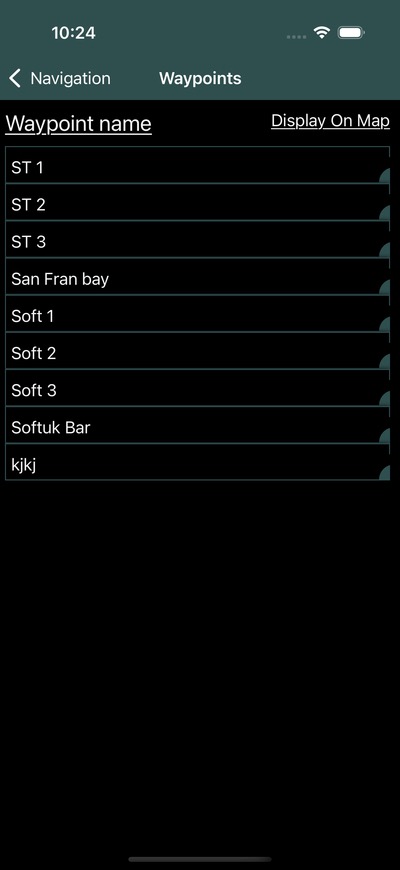
The waypoint list shows all saved waypoints with:
- Name – The waypoint label
- Distance – Distance from your current position
- Bearing – Direction to the waypoint from your position
Tap a waypoint in the list to view its details or center the map on its location.
Editing Waypoints
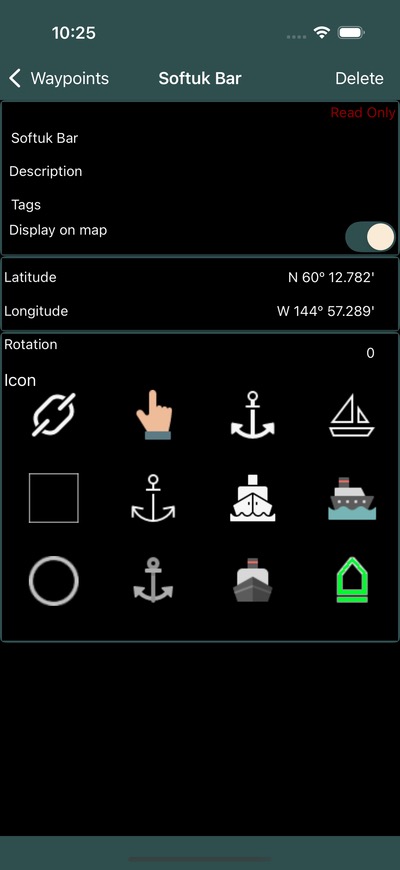
Select a waypoint from the list to edit:
- Name – Update the waypoint label
- Description – Add notes about the location
- Color – Choose a custom color for the map pin
- Icon – Select from available marker icons
- Location – View or update the coordinates
Display on Map
Waypoints appear as colored pins on the navigation page. You can control their visibility:
- Toggle display – Show or hide all waypoints from the navigation settings menu
- Pin size – Adjust waypoint pin size in Settings
- Zoom visibility – Configure at what zoom level waypoints become visible
Sharing Waypoints
Waypoints can be shared with your fleet through Groups:
- Go to your group settings
- Select Share Waypoints
- Choose which waypoints to share with the group
- Group members will see shared waypoints on their maps
Shared waypoints from other group members appear alongside your personal waypoints.
Info
Shared waypoints are synced in real-time when connected to the internet. Any updates to shared waypoints will be reflected for all group members.