Weather
Bristol Maps provides real-time weather forecasts powered by Visual Crossing, giving you current conditions and hourly predictions for any location on the map.
Accessing Weather
There are several ways to view weather:
- From the map – Double tap any location on the navigation page and select Weather from the context menu
- From the left sidebar – Tap the weather button on the navigation page
- From a log entry – Weather is automatically retrieved when creating a log entry with a location
Weather Detail Page
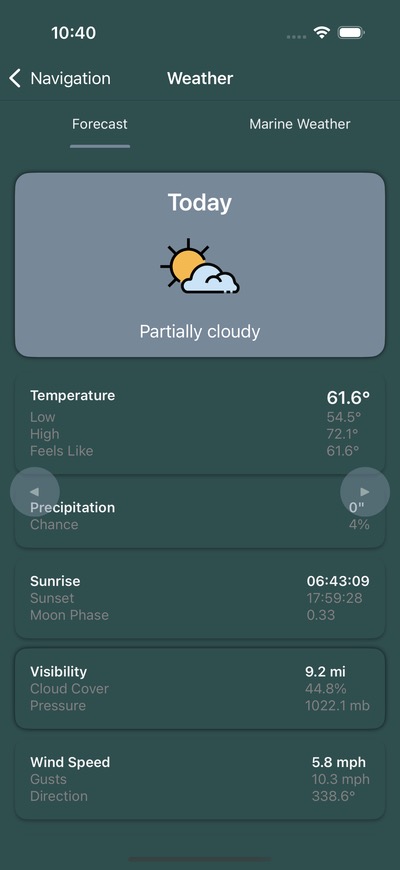
The weather detail page displays:
Current Conditions
- Temperature (high/low)
- Wind speed and direction
- Weather conditions (clear, cloudy, rain, etc.)
- Humidity and visibility
Hourly Forecast
A detailed hour-by-hour breakdown showing temperature, wind, and conditions for the selected day. Swipe between days to view extended forecasts.
Daily Cards
Scroll through daily forecast cards showing the outlook for upcoming days.
Internet Required
An active internet connection is required to retrieve weather data. Weather cannot be cached for offline use.
Weather in Log Entries
When you create a log entry with a location, the app automatically fetches weather data for that time and place. If you’re offline when creating the log, weather data will be populated the next time you connect to the internet.
Changing the log entry time or location will update the associated weather data.
Zone Weather
NOAA marine zone weather forecasts provide official weather information specific to Alaska marine zones. This includes:
- Marine weather warnings
- Wind forecasts
- Wave height predictions
- Visibility conditions